Social share
What is Social Share?
Every great product deserves to be seen — and talked about. Social Share is a built-in feature that lets you instantly share your shoppable video widgets across social media platforms, email campaigns, and beyond.
Instead of manually downloading and re-uploading videos, you get a shareable link or embed directly from your widget. Use it to turn your most compelling user-generated content (UGC) into a social proof engine that works around the clock.
- Build trust at scale — Let real customer videos do the selling for you. Authentic UGC resonates far more than polished ads.
- Send product usage guides — Share "how-to" or "unboxing" videos with customers right after purchase, reducing support requests and boosting satisfaction.
- Showcase UGC for a specific product — Highlight what real buyers are saying and showing about a product, giving potential customers the confidence to buy.
Use cases
Share product videos in post-purchase emails
After a customer places an order, send them a follow-up email featuring real video reviews or how-to guides from your widget. This reassures buyers they made the right choice — and gives them tips to get the most out of their purchase.
Amplify UGC on Instagram and TikTok
Your best social proof is already sitting in your widgets. Share those customer videos directly to your brand's Instagram Reels or TikTok feed to reach new audiences organically, without spending extra on content creation.
Engage Facebook groups and communities
Drop a shareable link into relevant Facebook groups, Reddit communities, or niche forums where your target customers hang out. A genuine video from a happy buyer is far more persuasive than a traditional ad.
Drive clicks in newsletters
Embed a share link inside your weekly or monthly newsletter to highlight a featured product video. Moving content captures attention in the inbox and drives readers back to your store.
How to share
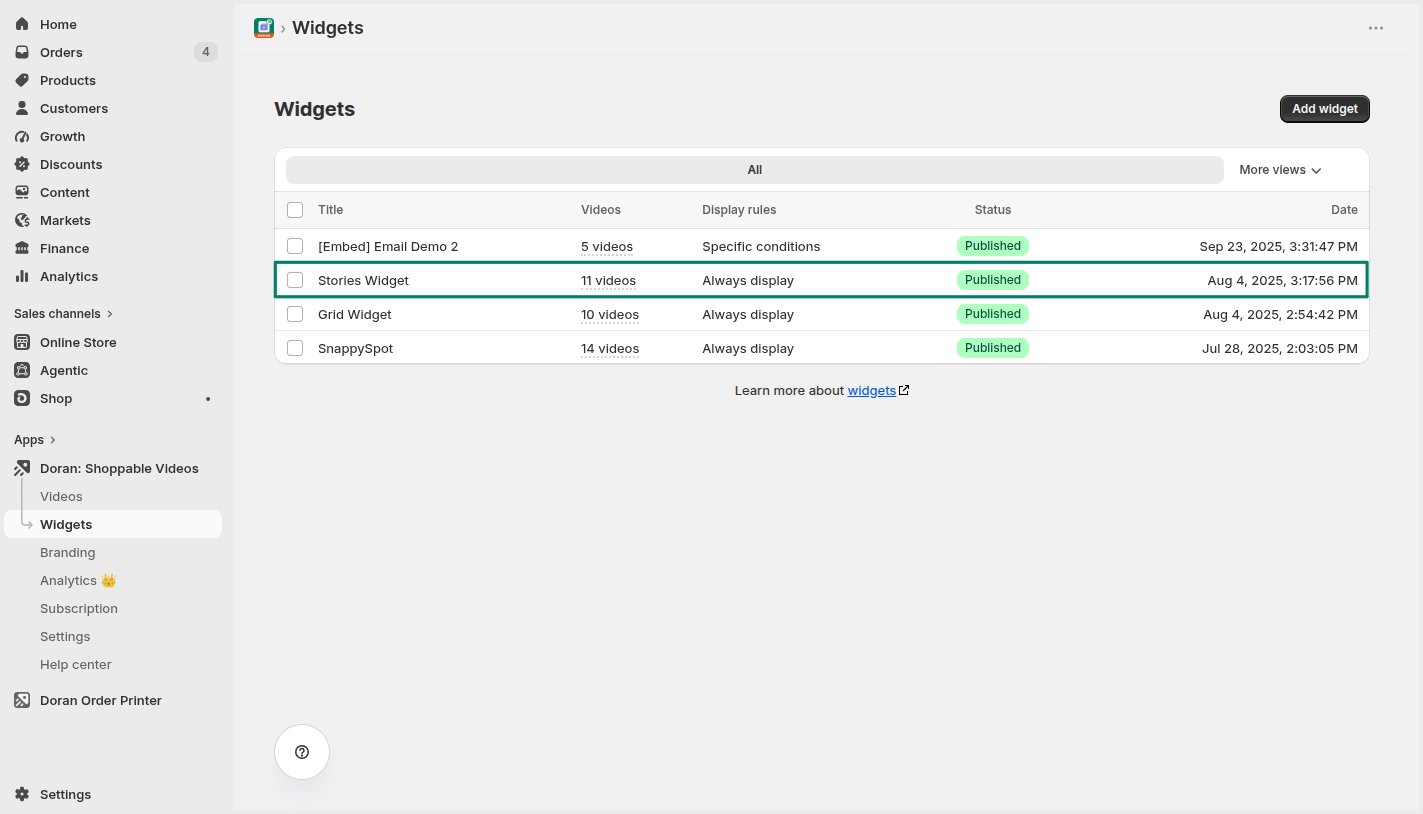
Open the Widgets menu and select a widget
From your Doran dashboard, navigate to Widgets. Select the widget you want to share.
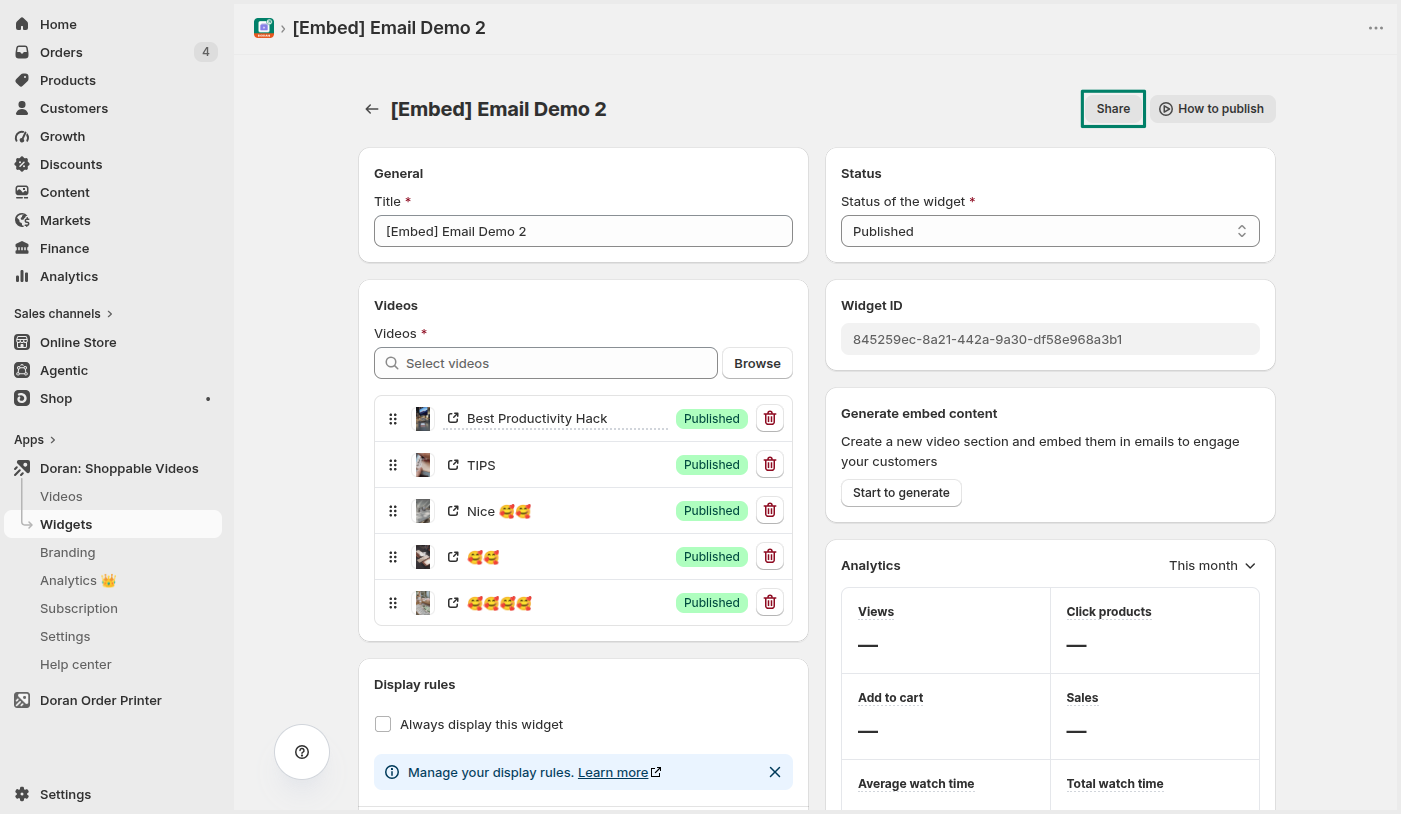
Click Share
At the top of the widget page, click the Share button. A modal will appear with your sharing options.
Copy and share
Copy the link or content shown in the modal and share it on your social platforms, email campaigns, or anywhere else you want to spread the word.

Video sales page
Learn how to showcase Shoppable Videos on a dedicated sales page. Find steps to add and configure a Video Sales Page, customize video sources with tags, adjust player behaviors, and manage visual presentation.
Manage videos
Managing your video library effectively ensures that your shoppable content stays organized and impactful. With our app, you can easily link videos to products, delete outdated videos, or adjust their visibility status. These tools help you maintain a clean library, improve customer experience, and keep your storefront content relevant.