Shopify Flow
Introduction
Shopify Flow is a powerful ecommerce automation platform developed by Shopify. It allows merchants to automate repetitive tasks and workflows within their online stores, helping them save time and streamline their operations.
By connecting Doran Shoppable Videos with Shopify Flow, you can build automated workflows that react to UGC video activity — for example, notifying your team when a new video is submitted, or sending a reward email when a video is approved.
Requirements
Make sure both of the following apps are installed on your store before proceeding:
Access the menu
From the Doran admin, go to Settings > Shopify Flow.
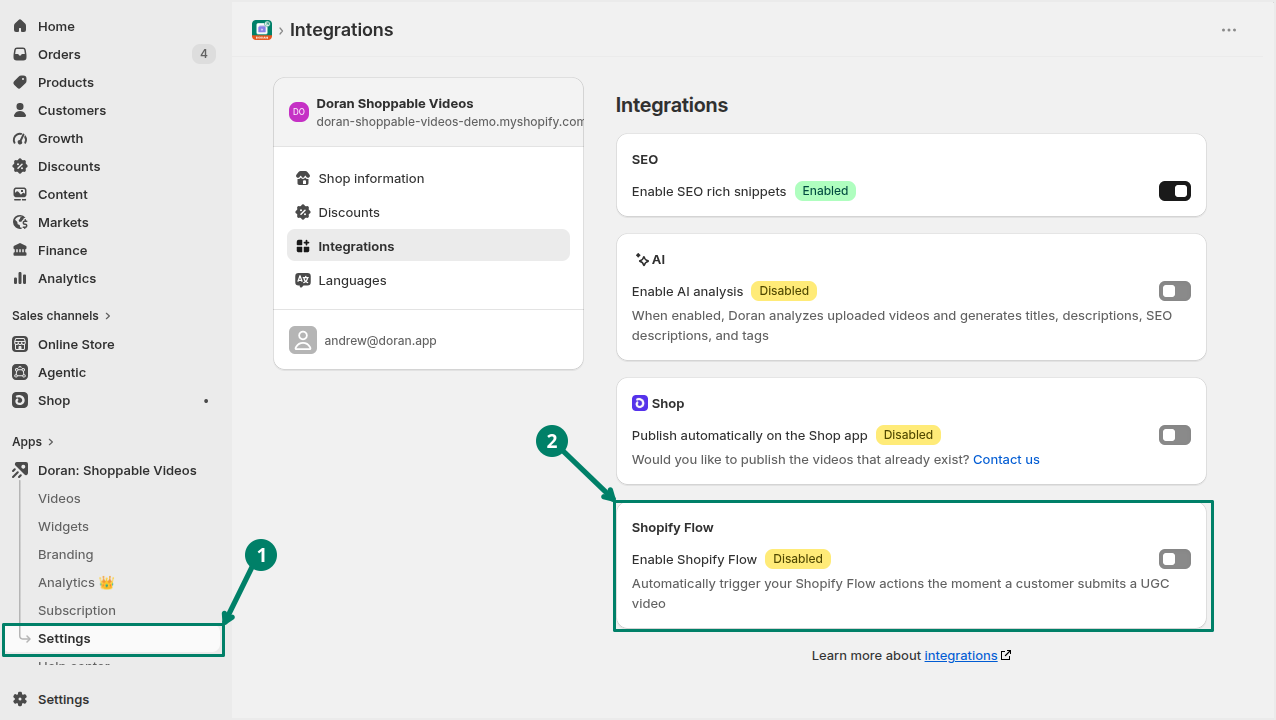
Trigger: UGC video submitted
The trigger UGC video submitted allows starting a workflow when a customer submits a UGC video through the video submission widget.
Create a new workflow and select the trigger
From Shopify Flow, click Create workflow and click Select a trigger.
Search for UGC video submitted.
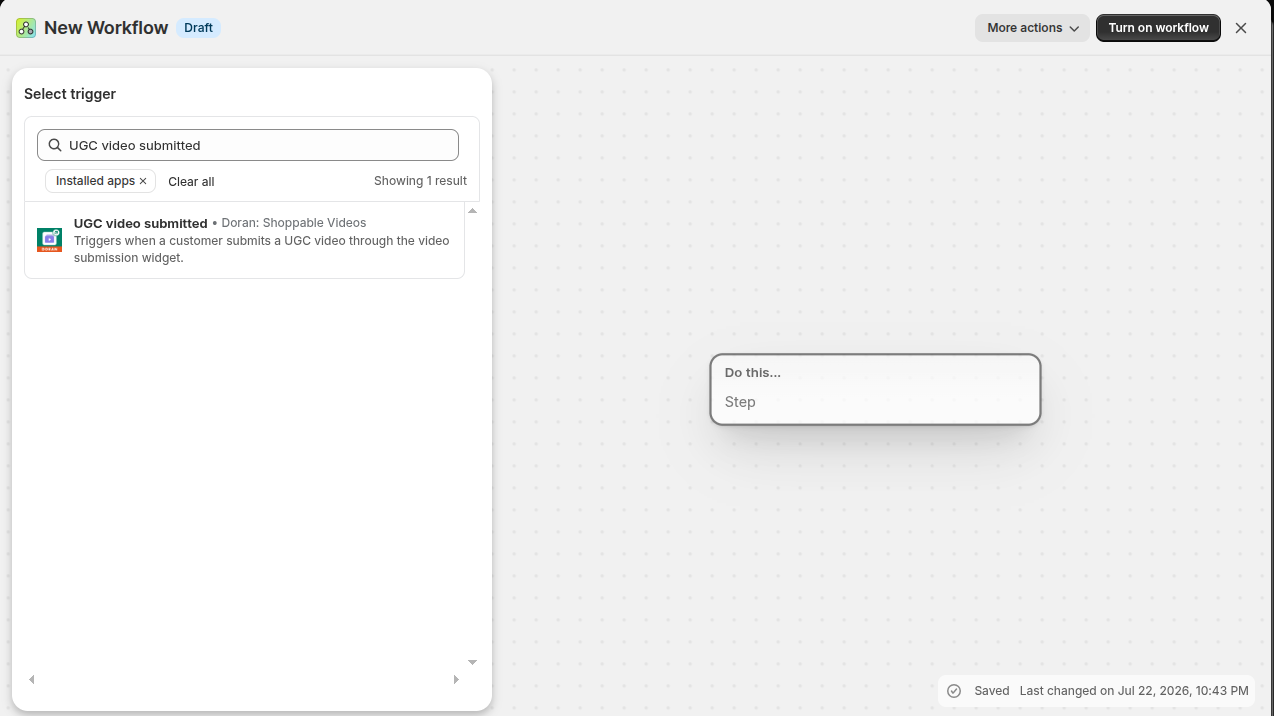
Complete workflow
After selecting the trigger, you can add more steps for your workflow. Please do not forget to enter your workflow name and Turn on workflow.
Trigger variables
| Variable | Type | Description |
|---|---|---|
| video | Video | The submitted video. It includes Shopify file ID. |
| url | URL | The URL of the submitted video file. |
| customer | Customer | The submitting customer. It includes Shopify customer ID. Falls back to the submission's source URL when no Shopify customer is linked. |
| The email address collected from the customer at submission time, if provided. | ||
| phone | String | The phone number collected from the customer at submission time, if provided. |
| status | String | The video moderation status. |
Trigger: UGC video approved and select the trigger
The trigger UGC video approved allows starting a workflow when a customer-submitted UGC video is manually approved (published) by a store staff member.
From Shopify Flow, click Create workflow and click Select a trigger.
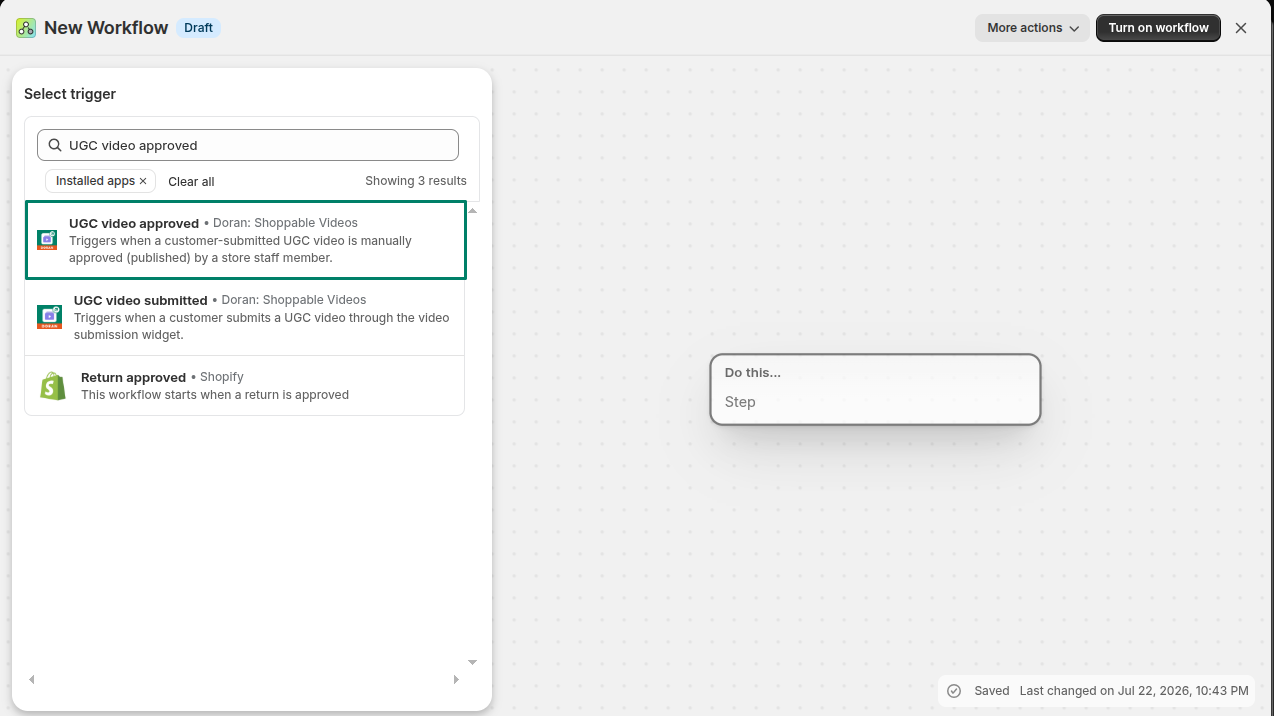
Complete workflow
After selecting the trigger, you can add more steps for your workflow. Please do not forget to enter your workflow name and Turn on workflow.
Trigger variables
| Variable | Type | Description |
|---|---|---|
| video | Video | The approved video. It includes Shopify file ID. |
| url | URL | The URL of the approved video file. |
| customer | Customer | The submitting customer. It includes Shopify customer ID. Falls back to the submission's source URL when no Shopify customer is linked. |
| The email address collected from the customer at submission time, if provided. | ||
| phone | String | The phone number collected from the customer at submission time, if provided. |