Amazon

This process requires a Chrome Extension to work. Please install it here.
After installing the above Chrome Extension, let get started to import videos.
Access the menu
Open your dashboard and navigate to Videos > Import Videos
In the import options, select Import from Amazon.
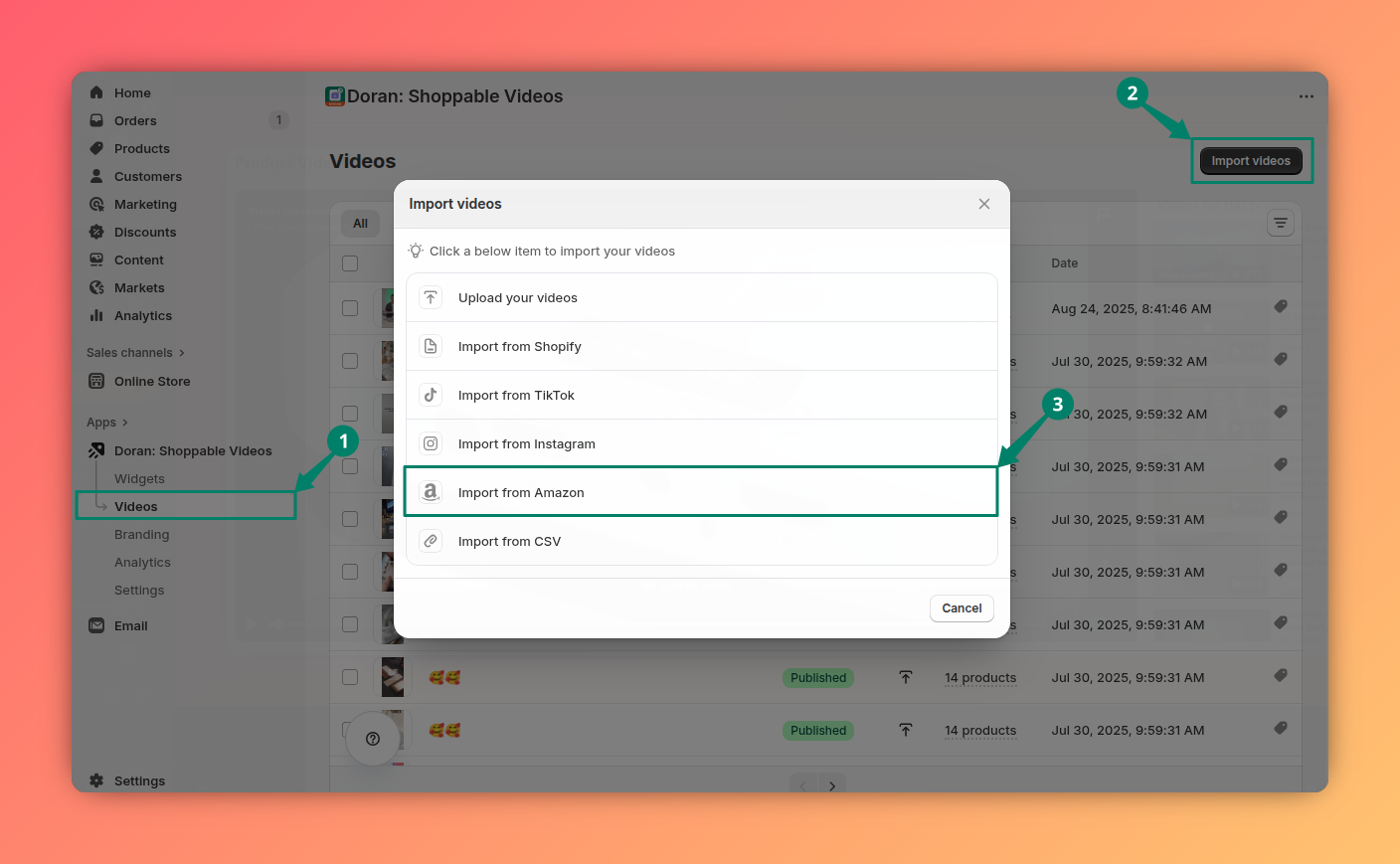
After clicking the Import from Amazon, our app opens a new tab to start importing.

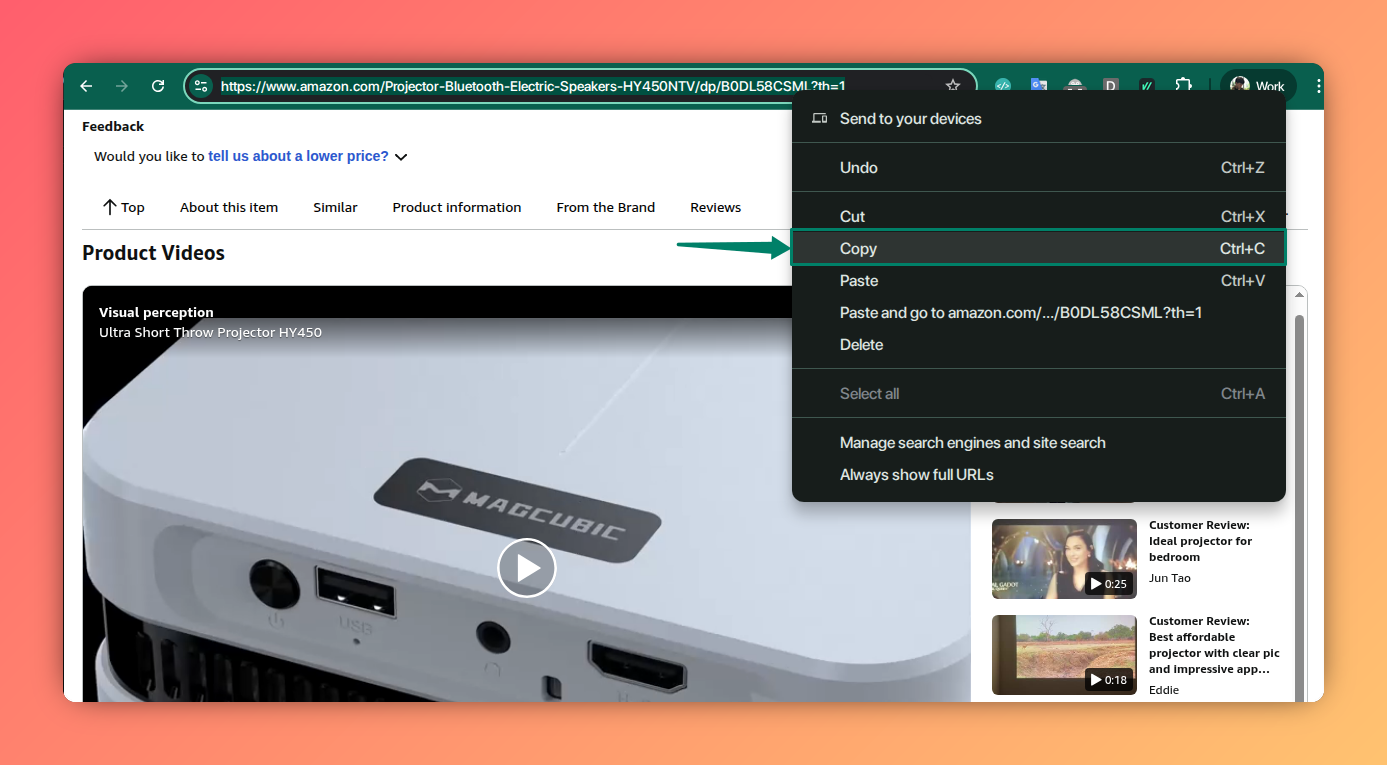
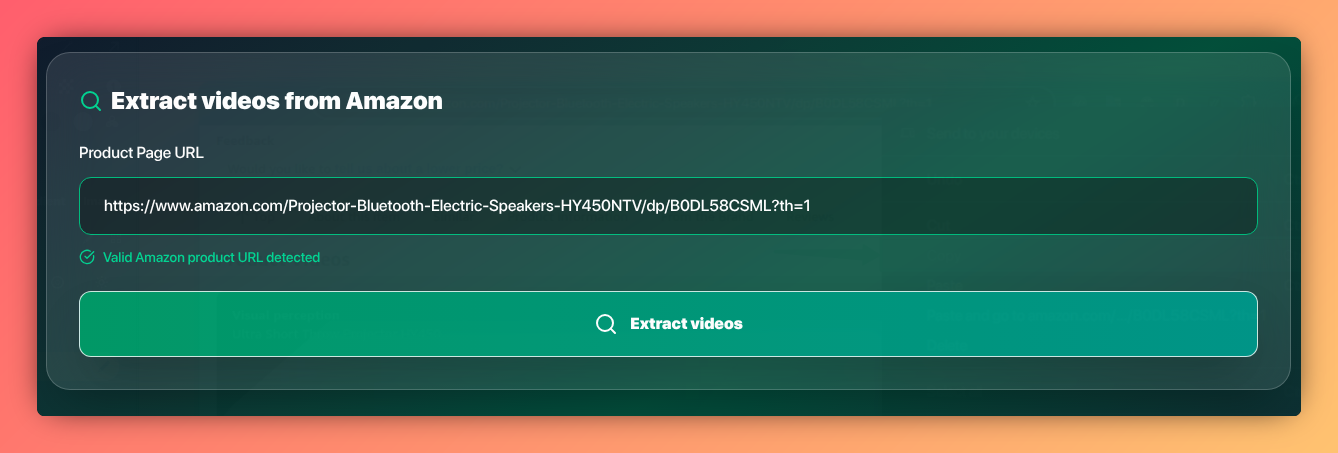
Click Extract videos
After that, clicking the Extract videos button to get all videos.

Import videos
Now, you may click the Import button or select some videos to import videos.

Video sync tasks
Video sync tasks let your store automatically fetch new videos from social media on a recurring basis, so your video library always stays up to date without manual imports.
CSV
If you're managing a large number of videos, importing them one by one can be inefficient. To save time, our app allows you to bulk import videos using a simple CSV file. By preparing your video data in advance, you can upload multiple videos at once — along with their titles, sources, and even product associations — ensuring a faster and more organized setup.